Security questionnaires, answered from your own documents.
Upload your policies and past answers. When the next questionnaire arrives, SecureReply drafts every answer with a citation to its source — you review, approve, and export to Excel or CSV.
Free plan includes 1 questionnaire. No credit card.
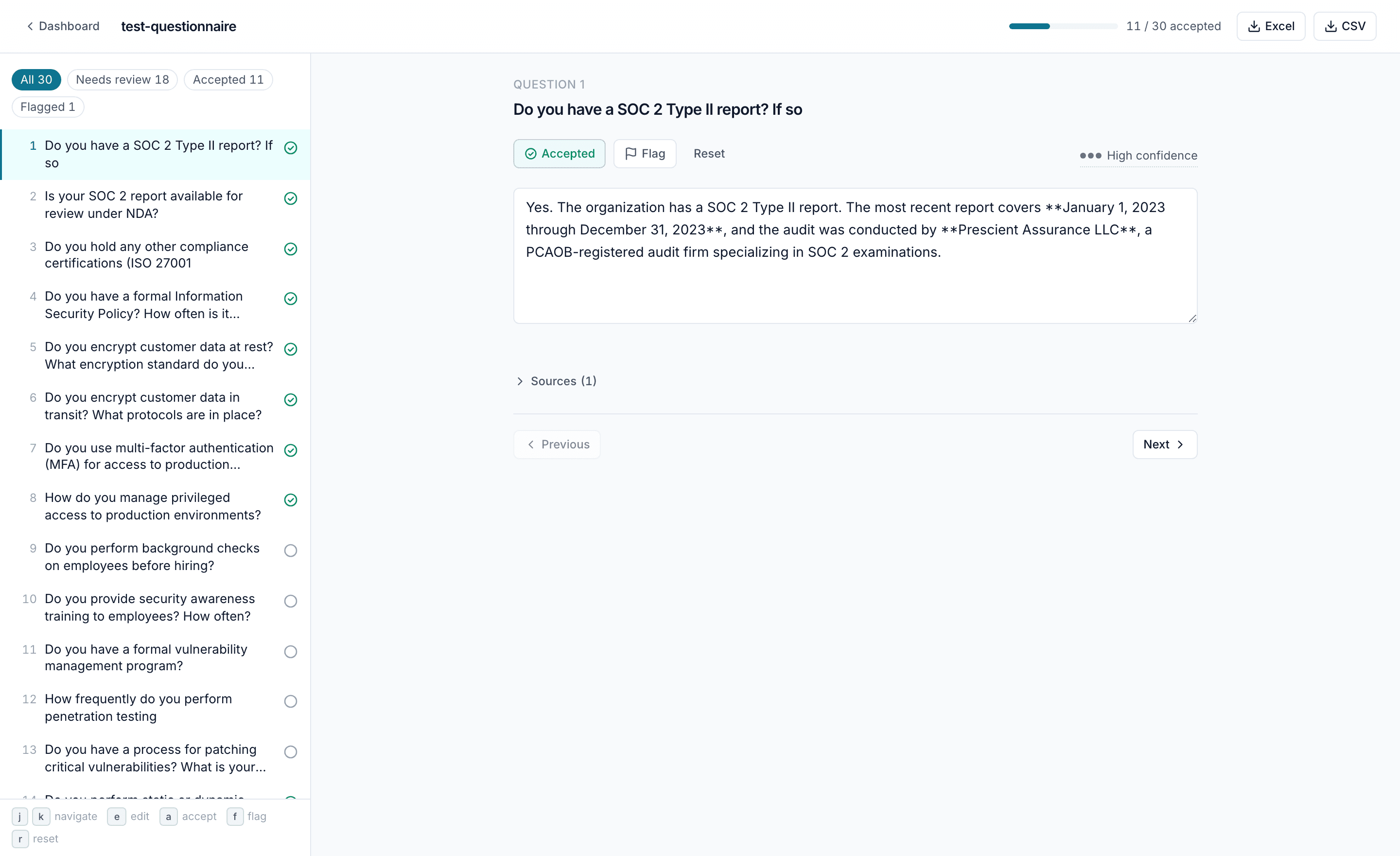
How it works
Upload your knowledge base
Add the documents you already have: security policies, past questionnaires, SOC 2 reports. PDF, DOCX, XLSX, or CSV.
Upload a questionnaire
Drop in the spreadsheet a customer sent. SecureReply reads the questions and drafts an answer for each one, grounded in your documents.
Review, then export
Accept, edit, or flag each draft — every answer shows its source. Export the finished questionnaire to Excel or CSV.
Built to be checked
Every answer cites its source
Each draft links to the exact passage in your documents it was written from. If your documents don't contain an answer, the draft says so — it is never invented.
Customer data at rest is encrypted with AES-256; keys are managed in a dedicated KMS and rotated annually.
› Sources (1)Information Security Policy.pdf · p. 4
A person approves every answer
Nothing is sent or exported automatically. You accept, edit, or flag each draft, and only accepted answers make it into the export.
Pricing
Limits are questionnaires per month. Every paid plan includes citations on every answer and export to Excel and CSV.
Free
$0
- 1 questionnaire
- Cited drafts and review
- No export
Starter
$50/mo
- 3 questionnaires a month
- Excel & CSV export
Pro
$100/mo
- 10 questionnaires a month
- Excel & CSV export
Ultimate
$200/mo
- 25 questionnaires a month
- Excel & CSV export
Start on the free plan and upgrade when you need to.